Build Your AI Brain With NotebookLM
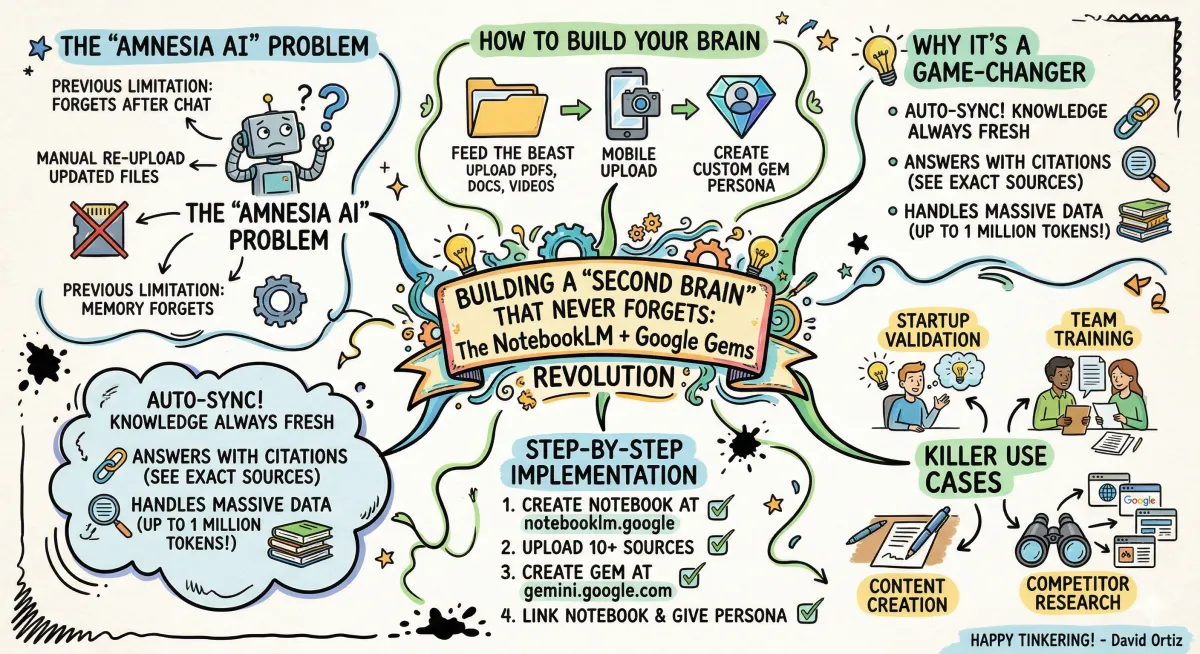
Building a "Second Brain" That Never Forgets: The NotebookLM + Google Gems Revolution
We’ve all been there. You spend hours "talking" to an AI, feeding it data, getting great insights, and then... you start a new chat, and it’s all gone. It feels like teaching a brilliant intern who gets amnesia every single morning.
But things just changed. I’ve been playing with the new integration between NotebookLM and Google Gems, and I’m telling you—we finally have the keys to build a living, breathing "AI Brain" that actually remembers who you are and what you know.
The Problem with "Amnesia AI"
Most AI tools today are "stateless." You upload a file, you get an answer, and you move on. If you update that file later, you have to re-upload it. If you have 300 files? Forget about it.
Google just solved this by linking NotebookLM (your knowledge base) with Gemini Gems (your custom AI agents). The result? An AI that auto-updates. When you add a new PDF or YouTube link to your notebook, your "Gem" knows about it instantly.
How to Build Your Own Brain (Step-by-Step)
You don't need a computer science degree for this. I’m a tinkerer, not a coder, and I set this up in minutes.
Feed the Beast: Head over to notebooklm.google. Create a new notebook and start uploading. You can add up to 300 sources—PDFs, Google Docs, websites, and even YouTube transcripts.
The Mobile Edge: Use the NotebookLM mobile app to snap photos of whiteboards or documents. Its OCR (optical character recognition) is top-tier; it reads the text right off the image and adds it to your brain.
Create the Persona: Go to gemini.google.com and create a "Gem." Give it a name—like "My Business Strategist" or "Research Assistant"—and link it to your NotebookLM notebook.
Put it to Work: Now, instead of asking general questions, you’re asking questions based only on your data. And the best part? It gives you citations so you can verify exactly where the info came from.
Why This is a Game-Changer
I’ve identified four "killer" ways I’m using this right now:
Startup Validation: I feed it Reddit threads and community questions. The Gem then tells me exactly what people are complaining about so I can build a solution they actually want.
Team Training: Upload your SOPs and manuals. Instead of a new hire asking you the same question for the tenth time, they ask the Gem. It answers with a link to the exact document.
Content Creation: I upload my past successes and course outlines. I ask the Gem, "Based on my voice, write a landing page for a new workshop." It doesn't sound like a robot; it sounds like me.
Competitor Research: I upload competitor blog posts and websites to find "content gaps"—the things they aren't talking about—so I can fill that space.
Why Not Just Use ChatGPT or Claude?
Look, I love all these tools, but for a "Second Brain," NotebookLM is winning right now for two reasons:
Capacity: Claude limits you to about 200,000 tokens. NotebookLM gives you 1 million. That’s a massive library of info.
Auto-Sync: Custom GPTs require manual updates. This setup stays fresh automatically.
The Future is Persistent
We are moving away from "chatting" with AI and toward "collaborating" with it. Having a persistent knowledge base that grows as you grow is the ultimate edge. It’s like having a version of yourself that never sleeps and has a photographic memory.
Go out there, upload ten sources today, and see what your "Second Brain" can tell you that you’ve already forgotten.
Tinkering Tip: Next time you’re at a workshop or a meeting, don't just take notes. Take a photo of the handwritten notes or the presentation slides, upload them to your mobile NotebookLM app, and then ask your Gem to "Summarize the three most actionable items from today."
Happy tinkering!